
When Information Disappears
Why modern digital life creates invisible gaps — and what can be done about it
We don't lose information because we're careless. We lose it because modern life quietly moved everything that matters into places only one person can see.
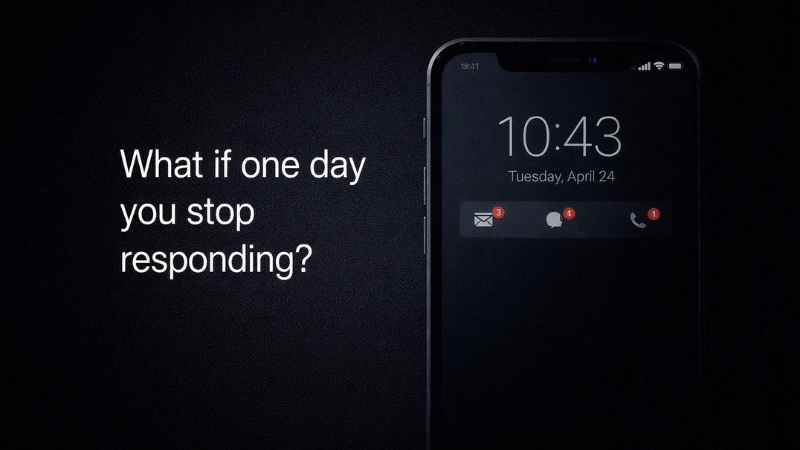
What if one day you stop responding?
- Most valuable assets are digital now — and invisible to everyone else.
- Families don't know what exists, where it is, or how to access it.
- The result isn't just money lost — it's delays, stress, and frustration.
- LegacyApp helps store key information privately and release it only when needed.
Tip: Use shortcuts below to jump to the parts you need.
This isn't a philosophical problem. It's a practical one. Bank accounts exist behind logins. Insurance policies arrive as PDFs. Investments live in apps no one else has ever opened. When something happens — suddenly — families are left staring at screens they don't know how to unlock.
People don't "lose" information after death. It simply becomes unreachable, because only one person ever knew the path.
The reason is rarely legal complexity. More often, it's simpler: no one knew the account existed, no one knew where the policy was stored, no one knew which provider to contact.
Why information gets lost after death
We avoid talking about death. That avoidance feels harmless — until silence turns into confusion. Conversations about "what if something happens" are postponed indefinitely.
Meanwhile, digital clutter grows. Files scatter across clouds, inboxes, phones, and forgotten drives. For someone outside — a partner, a child, a parent — finding one critical document can become nearly impossible.
"The hardest moments are rarely about money. They're about unanswered questions."

The hardest moments are rarely about money. They're about unanswered questions.
- Would anyone know where your insurance policy lives?
- Would anyone know which email controls your banking?
- Would anyone know where paper documents are stored?
- Would anyone know what to do if something happened to you?
What usually goes missing
The losses aren't abstract. They're specific: forgotten retirement accounts, old bank products, crypto wallets, subscription liabilities, insurance policies tied to vanished portals.
Even basic access to money can become blocked — not because funds don't exist, but because no one knows how to reach them.
- Life insurance details
- Old retirement accounts
- Crypto wallets with no recovery path
- Subscription liabilities
- Where the will is stored
Even organised people keep key details only in their heads — where documents live, which email controls access, what happens to a business if the owner disappears.
In emergencies, gaps surface immediately. Missing PINs block access. Forgotten passwords lock away years of digital life.
"The first crisis isn't paperwork. The first crisis is not knowing where to start."
People die. Information shouldn't.
Why people still don't prepare
Preparing feels emotional. It forces people to imagine uncomfortable futures — illness, absence, unfinished business.
Yet those who prepare describe relief: the comfort of knowing loved ones won't be left guessing.
Planning isn't pessimism. It protects the people you love at the moment they need it most.
Technology helps
This is where modern technology can help. Many apps promise to organise important information. The most advanced — and the safest — are secure mobile apps that bring it together as simple text notes, photos, or screenshots. Not to share it immediately, but to make sense of it first. Documents, instructions, and access paths can be organised step by step.
Everything is encrypted and stored on the user's own device and private Google Drive or iCloud. Day to day, nothing changes. Only if something goes wrong does it step in, sharing the information with the people the user has chosen. The app does not store users' notes on its servers, so the operator cannot access or extract them.
Putting things in order reduces burden. It's responsibility — and often love.
Because when information disappears, what remains isn't mystery — it's stress. And stress is the last thing families need.
Start with one note.
It takes five minutes.
Download LegacyApp — free to use in the basic version, forever. Add one note: where your main email is, where your login details are kept, and who should access them in an emergency.
Download LegacyApp →No credit card required. Basic version is free.