How does LegacyApp protect my data?
Your data security is our priority
Protecting the information you store in LegacyApp matters to us more than anything. We look after it in four ways.
Your notes never touch our servers - they live only on your phone and in your own cloud. They're encrypted with AES-256 using a key of more than 100 characters that we can't reconstruct on our own. Access for your Recipient (we call them "Beneficiary" in the app) only begins once a Trusted Friend confirms, and an external law firm oversees our GDPR compliance.
1. Security by Design
We designed LegacyApp so that your private notes are never stored on our servers. They live only on your smartphone, and if you create a backup - in your private cloud (Google Drive or iCloud). This way, no one can steal your data from us by hacking our server, and no one can demand access to your data from us.
2. Data encryption and SSL
Your notes in the app are encrypted with the AES-256 algorithm (Advanced Encryption Standard), widely used by financial institutions and the military. The encryption key has two halves: your key, which you create when encrypting your notes (at least 8 characters), and our half, which is over 90 characters long.
On top of that, data transmission between the app or your browser and the server is encrypted with the SSL protocol - the same one you use every day for banking and government services. Even if someone hacked into your private cloud and downloaded the encrypted file, they couldn't read it without both your key and our half.
3. Trusted Friends
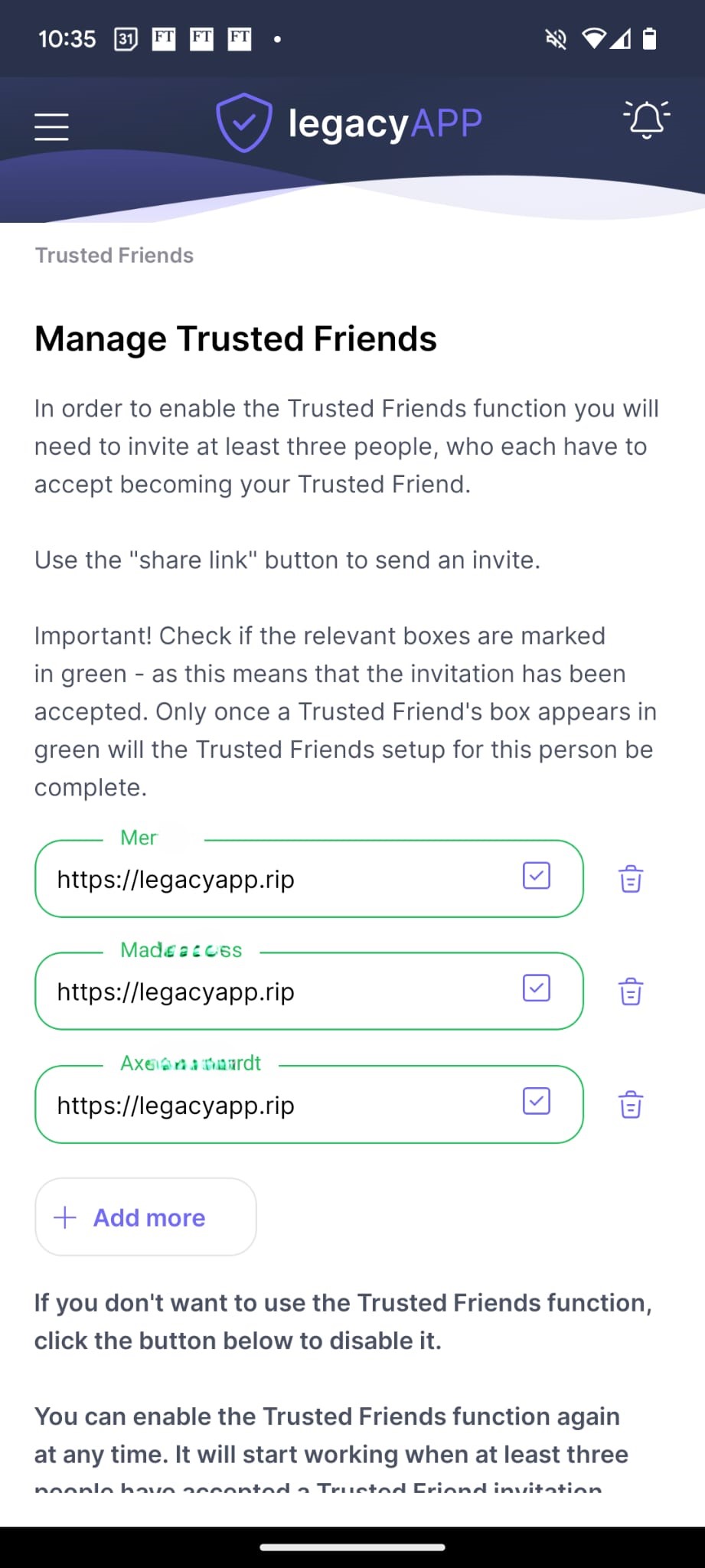
For those who want to be sure their data reaches their Recipient only when it's truly needed, we created the optional Trusted Friends function. You can invite one or more people to become your Trusted Friends and, if needed, confirm that something has really happened to you. It's an extra safeguard in case you forget, or are unable, to confirm in the app or by email that everything is fine.
Only when at least one Trusted Friend confirms that something has happened do we begin the process of granting your Recipient access to your data.
4. Oversight by an external law firm
The law firm LBK&P (lbplegal.com) oversees the GDPR compliance of both the LegacyApp mobile app and the website. They supervise our personal-data processing procedures and represent us before the Personal Data Protection Office. You'll find more in our Privacy Policy.
You also have the right to stop using LegacyApp at any time, with no consequences.